


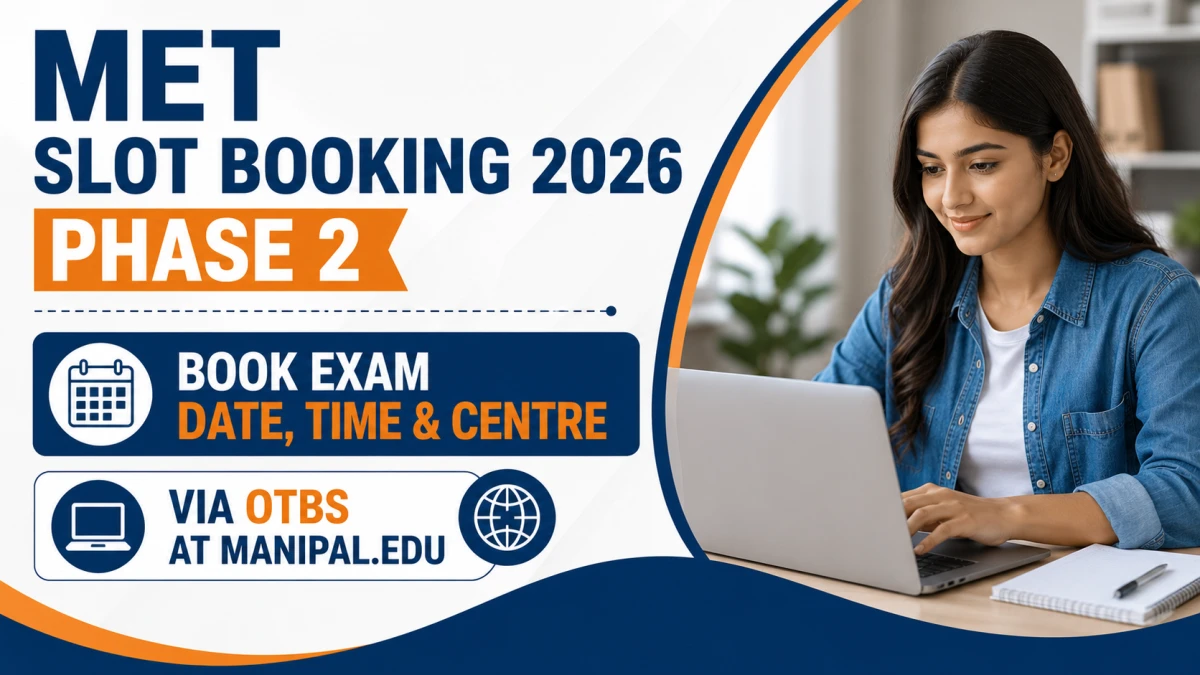

MET Slot Booking 2026 Phase 2 for the Manipal Entrance Test (MET) will be conducted online from May 9 to May 11, 2026 through the OTBS portal on manipal.edu, allowing registered candidates to select their exam date, time and centre on a first‑come‑first‑serve basis.
MET Slot Booking 2026 Phase 2 – Overview
Manipal Academy of Higher Education (MAHE) conducts the Manipal Entrance Test (MET) for BTech admissions in multiple phases each year. Phase 2 slot booking is a mandatory online process in which candidates confirm their preferred exam date, time slot and test city using the Online Test Booking System (OTBS). Only those who complete slot booking within the official window can download the MET 2026 Phase 2 admit card and appear for the exam.
MET 2026 Phase 2 – Key Highlights
MET Slot Booking 2026 Phase 2 Dates and Schedule
For Phase 2, MAHE has announced a clear timeline covering applications, slot booking, admit cards and exam dates. Candidates should keep these dates handy to avoid missing any important deadline.
On each day of the exam, MET is usually conducted in multiple slots. The exact reporting time and test time for your slot will be mentioned clearly in the admit card, and candidates must strictly follow those timings on exam day.
Official MET Slot Booking 2026 Phase 2 OTBS Link
MET slot booking 2026 Phase 2 is done only through the OTBS portal linked from the official MAHE website, manipal.edu. Candidates should always access the slot booking page via the official “Online Entrance Exam / OTBS / MET instructions” section to avoid fake or unofficial links.
Once on the official page, you will find the direct OTBS login link for MET 2026 along with detailed instructions, important notes and FAQs. No offline mode, email request or telephonic booking is accepted; the entire process is online and self‑service through the OTBS dashboard.
Direct Link to Download MET Slot Booking 2026 Phase 2 OTBS Here
MET Slot Booking 2026 Phase 2 – Eligibility and Pre‑Requirements
Only eligible and registered candidates can participate in MET slot booking for Phase 2. Before you attempt to book your slot, ensure the following points are satisfied.
Who Can Book MET 2026 Phase 2 Slot?
-
Candidates who have completed the MET 2026 application form for Phase 2 within the specified deadline.
-
Application fee payment must be successful and reflected in the application status.
-
Candidates must meet the MET 2026 BTech eligibility criteria as prescribed by MAHE (10+2 or equivalent with specified subjects and minimum marks).
Details Required for OTBS Login
To book your slot, you should keep the following information ready:
-
MET 2026 application number.
-
OTBS password (often initially based on date of birth and then changed at first login).
-
Registered email ID and mobile number for receiving alerts and communication.
Having these details ready before you start helps you complete the process quickly and secure a preferred slot.
How to Book MET Slot 2026 Phase 2 Online
Slot booking is a one‑time process and cannot be reversed or edited later, so you must follow each step carefully and double‑check all information before confirming.
Step‑by‑Step MET OTBS Slot Booking Process
-
Visit the official website
Go to the official MAHE website, manipal.edu, and open the MET / Online Entrance Exam / OTBS instructions section from the admissions menu. -
Click on the MET 2026 slot booking (OTBS) link
On the MET slot booking instructions page, click the link for “MET 2026 OTBS” or “MET 2026 Phase 2 Slot Booking”. This will redirect you to the login page for the Online Test Booking System. -
Log in to the OTBS portal
Enter your MET 2026 application number and OTBS password in the respective fields. If you are logging in for the first time, you may be asked to change the default password to a new, secure password. -
Select test city, date and time slot
After logging in, you will see a dashboard showing available test cities, exam dates and time slots for Phase 2. Use the dropdowns or selection boxes to choose your preferred city, date and slot based on the live availability shown on screen. -
Review all details carefully
Before confirming, check the details thoroughly: chosen test city, exam date, time slot, reporting time and exam centre. Ensure that these details are convenient for your travel and do not clash with any other major exam or commitment. -
Confirm and submit slot booking
Once you are sure about your preferences, click on the confirm / submit button to finalise the booking. After confirmation, your slot will be locked and you will not be allowed to make any changes, so make this decision carefully. -
Save the confirmation page
Download, save or print the slot booking confirmation page or take a clear screenshot. This confirmation acts as proof of your booked slot and can be useful in case of any discrepancy later.
Important Instructions for MET Slot Booking 2026
-
Slot booking works on a first‑come‑first‑serve basis, and options may become limited as more candidates book their slots.
-
If you fail to book a slot within the official window, a slot may be allotted by the authorities based on leftover availability, but this is not guaranteed.
-
Candidates who do not complete slot booking will not be allowed to appear in MET 2026 Phase 2.
-
Always use a stable internet connection and avoid booking at the last minute to reduce the risk of technical problems.
MET 2026 Phase 2 Admit Card After Slot Booking
After you have successfully booked your slot in OTBS, the next step is to download the MET 2026 admit card for Phase 2 within the specified dates.
MET 2026 Phase 2 Admit Card Dates
The admit card for MET 2026 Phase 2 is expected to be available for download from May 20 to May 22, 2026. Only candidates who have completed slot booking and whose applications are accepted can access the hall ticket for Phase 2.
How to Download MET 2026 Phase 2 Admit Card
-
Visit the official MAHE website and go to the MET 2026 admit card or candidate login page.
-
Enter your MET 2026 application number and password to log in.
-
Click on the link for “MET 2026 Phase 2 Hall Ticket / Admit Card”.
-
Check all details on the admit card such as your name, photo, application number, test city, centre address, exam date, time and reporting time.
-
Download the admit card and take 2-3 printouts on A4 paper. The printed admit card is mandatory for entry into the exam centre.
If you find any serious error in your personal details (such as spelling mistakes in name or incorrect category), contact the MET helpline or MAHE admissions email as soon as possible with proper proof.
MET 2026 Phase 2 Exam Day Guidelines
A smooth exam day experience depends not only on preparation but also on following all instructions given by MAHE.
-
Reach the exam centre well before the reporting time mentioned on your admit card to complete verification, frisking and seating.
-
Carry the printed MET 2026 Phase 2 admit card, a valid government‑issued photo ID (Aadhaar, PAN, Passport, Driving Licence, etc.), and any other documents notified by MAHE.
-
Do not carry electronic gadgets, calculators, smart watches, notes or any prohibited items into the exam hall.
-
Follow all instructions given by the invigilators and do not engage in any unfair means, as this can lead to cancellation of candidature.
Common Issues During MET Slot Booking 2026 Phase 2 and How to Fix Them
Many candidates face minor challenges during the slot booking window. Here is how you can handle the most frequent issues.
-
Unable to log in to OTBS
Double‑check your application number and password, see if Caps Lock is off, and use the “forgot password” or help option if available. Also ensure you are on the correct MET 2026 OTBS portal and not an old or wrong link. -
Preferred city or slot not available
If your preferred test city or slot is not displayed, it is likely that capacity is full in that option. In that case, choose another slot, date or nearby city from the available options rather than waiting till the last minute. -
Payment not updated / booking blocked
If the system shows that your application fee payment is pending, cross‑check your bank transaction status. If the payment has been debited but not updated in the application, contact the helpdesk with payment proof. -
Technical errors while booking
Switch to another browser, clear cache and cookies, or use a different device / connection. If the error persists, take screenshots and email MAHE admissions or the MET technical support team with details.
Tips for Choosing the Best MET 2026 Phase 2 Slot
Beyond just getting any slot, it is smart to choose a slot that supports your performance.
-
Pick a convenient date
Select a date that gives you enough time for final revision and does not clash with other major entrance exams or board exams. -
Choose your most alert time of day
If you generally perform better in the morning, opt for a morning slot; if you are more focused in the afternoon, choose an afternoon slot. -
Book early for better choices
Since the system is first‑come‑first‑serve, logging in soon after the window opens on May 9, 2026 increases your chances of getting your preferred city and slot.